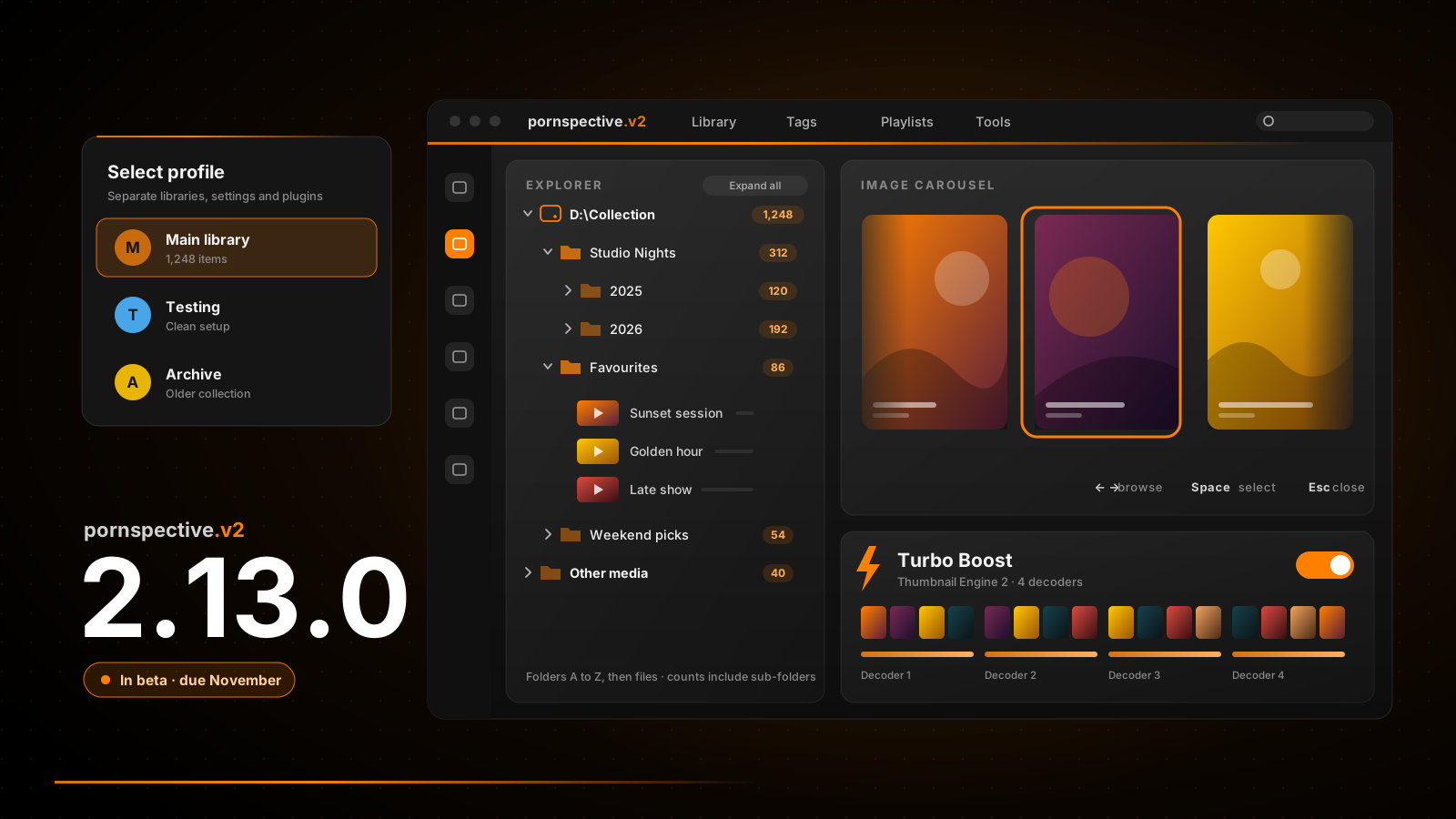
Version 2.12.0 moved pornspective.v2 onto .NET 10 and the latest libraries. That was important work, but none of it was anything you could see. 2.13.0 is the opposite: almost every screen in the app has been touched, and there are new ways to browse, separate profiles for different collections and much faster thumbnails.
A fresh coat of paint
The whole app has a new look. The menus, side bar and splash screen, the browsers and choosers, the Media Player, the Bookmark, Thumbnail and Playlist views, the context menus and Local Settings have all been restyled. It is cleaner and more consistent, with the subtle accent bar you can see across this website running under the menu bar to tie it all together.
Help has moved too. Rather than being buried in the menus, it now lives on the Welcome screen's Getting Started page, so it is the first thing a new user finds.
Browse your collection like folders
The new Explorer view sits alongside the existing results views and lays your results out the way they sit on disk: scan locations, then folders, then files. Folders come first in A to Z order, each showing how many items it holds including its sub-folders, so you can see at a glance where things are.
The other results views have been updated as well, with new cover previews that show more of each video or gallery without opening it.
- Expand everything or collapse it all with one click, and the folders you opened stay open when your results refresh.
- Move around with the arrow keys, just like Windows Explorer.
- Open any location or folder in File Explorer straight from the tree.
Carousels everywhere
The Image and Video panels gain an image carousel, so you can flick through a gallery or a video's thumbnails right where you are. Use the left and right arrows to browse, Space or Enter to pick one and Esc to close. A new mini carousel and slimmer controls keep the panels compact when you just want a quick look.
A profile for every purpose
If you keep more than one collection, or want a clean setup for testing, the new Profile Manager is for you. Each profile has its own library, settings and plugins, kept completely separate from the others.
Create a profile
Give it a name and choose what it copies from the profile you are using: your licence details, local settings, tags with their images and artwork, and plugin settings.
Choose at startup
A Profile Chooser lets you pick which profile to open as the app starts. Double click the one you want, or select it and press Enter.
Tidy up
Remove profiles you no longer need from the same screen. Deleting a profile removes its folder entirely, so the app always asks first.
Turbo Boost for thumbnails
Thumbnail Engine 2 has a new Turbo Boost option in Local Settings. With it switched on, several decoders work on different parts of a video at the same time, so thumbnails are created much faster. It uses more CPU while a video is being processed, so it is your choice whether to turn it on.
And plenty more
- Adult Theme policy. Adult-themed providers and tag edit fields are now only shown when Adult Theme is switched on, which keeps the app discreet when you need it to be.
- Pixabay downloads. The Pixabay gallery provider can now download images directly.
- Latest components. Every component library has been brought up to date, including the VLC media player.
- Fixes. Tag Accordion input and tag filter matching are more robust, and a duplicate service issue has been fixed.
When can I get it?
pornspective.v2 2.13.0 is with Patreon beta testers right now, and I am aiming to release it to everyone in November. If you would like to try it early, join on Patreon and tell me what you think. Your feedback during the beta is what gets it over the line.