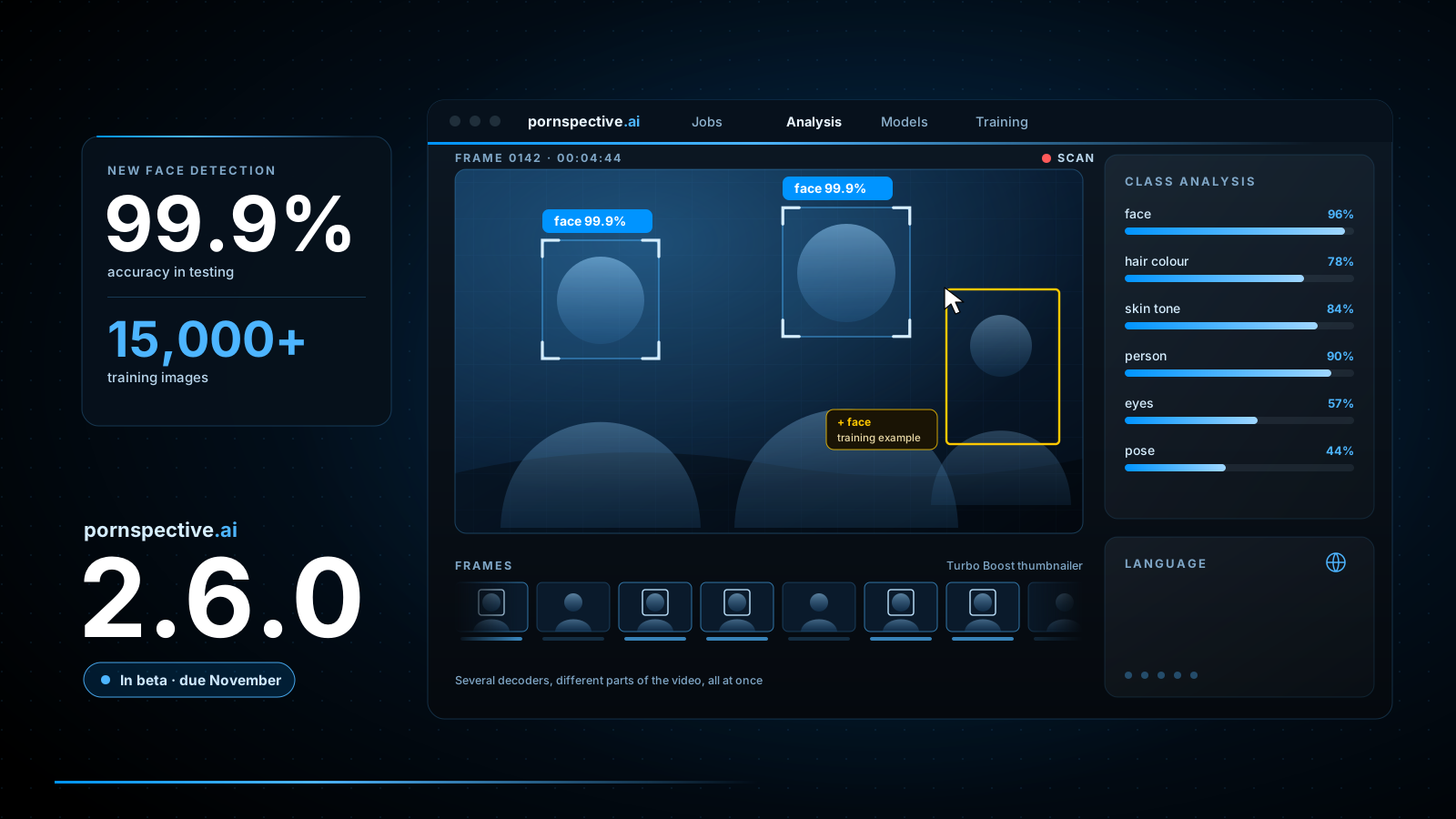
Version 2.5.0 was all about getting pornspective.ai onto the latest foundations. With that done, 2.6.0 is where the AI tagger gets to grow. Most of the work has gone into what it can see and how well it sees it, but there is plenty here for anyone who simply wants their scans to finish sooner and the app to feel more at home.
Room for more advanced models
pornspective.ai has always worked with pluggable detection models, so it can improve without you reinstalling anything. In 2.6.0 it can host a newer, more advanced generation of model alongside the ones you already use, which opens the door to sharper and more accurate detection across the board.
The first new models to arrive are for face detection. They have been trained on more than 15,000 images and in testing they found faces with 99.9% accuracy. Alongside them, the skin and hair colour detection that runs on every scan has had another round of fine tuning, so those tags land more consistently too.
- Everything still runs on your PC. The models run locally on your own CPU or graphics card, and your videos and results never leave your computer.
- Better eyes, better building blocks. Reliable face detection opens up some exciting possibilities for what the AI tagger can do next. More on that very soon.
Help train the next models
Every model pornspective.ai uses is only as good as the examples it learnt from. If you would like to help make the next ones better, 2.6.0 gives you a proper way to do it, right inside the app.
Switch on Training Collection Mode
Turn it on in Local Settings and the analysis screen lets you select frames and the detections within them that you want to keep as training examples.
Draw the boxes the model missed
A new class annotation tool lets you draw a box around anything that should have been found and give it the right class, so the next model learns from its mistakes.
See where the gaps are
The Class Analysis, Analysis Chart and Stats Chart views have all been improved, so it is easy to see which classes are well covered and which need more examples.
Export a training pack
When you are ready, export everything you have collected as a training pack. A progress bar keeps you informed on large exports and inspect jobs.
Faster scans, tidier storage
Thumbnailing is the first step of every scan, and it is now much quicker. Switch on Turbo Boost in Local Settings and the thumbnailer uses several decoders on different parts of the video at the same time, with smarter keyframe handling. Thumbnails arrive much faster, at the cost of more CPU while a video is being processed.
The way frames and results are stored on disk has been restructured to be more efficient, and the job queue is easier to steer: you can run a model over your jobs and move any job straight to the top of the queue when you want its results first.
A fresh look, in your language
pornspective.ai now shares the new design coming to pornspective.v2, with new icons and artwork, slim controls, a mini carousel and the refreshed style across the browsers, results, media player and Local Settings. A new start screen and welcome screen greet you when the app opens, and the help has moved there so it is always to hand.
The whole app is also translated. As well as English you can use it in German, French, Spanish and Russian, and a new translation editor makes it simple to improve a translation, with the option to try a translation file out temporarily before committing to it.
When can I get it?
pornspective.ai 2.6.0 is with Patreon beta testers right now, and I am aiming to release it to everyone in November. If you would like to try it early, join on Patreon and let me know what you think. Your feedback during the beta is what gets it over the line.